
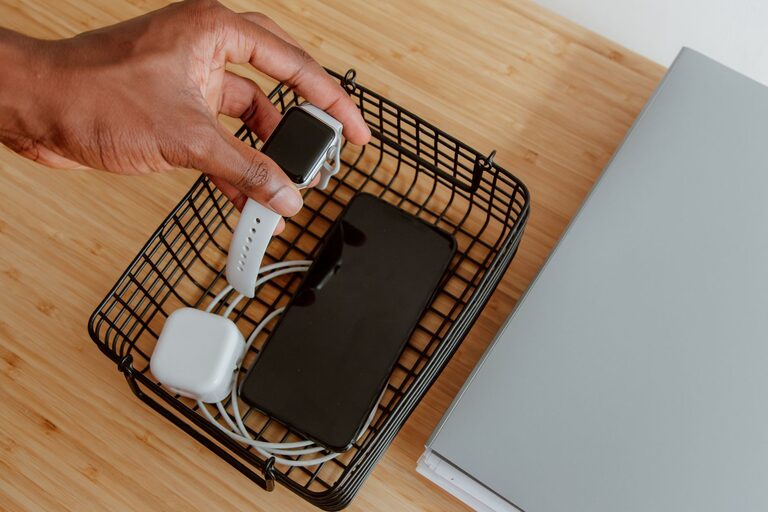
Setting up a dedicated charging station for your devices is a practical way to keep your gadgets charged and your space tidy. Whether you have smartphones, tablets, smartwatches, or other rechargeable devices, a well-organized charging area can simplify your daily routine and reduce cable clutter. This guide covers everything you need to know to set up your own efficient charging station at home.
Why Create a Charging Station?
Many households struggle with scattered cables and devices charging in different spots. A charging station centralizes all your devices, making it easy to charge multiple items at once and find them when needed. It also helps to:
– Prevent lost or misplaced chargers
– Reduce clutter and tangled cables
– Keep devices safe while charging
– Save counter or desk space
Choosing the Right Location
Start by selecting a convenient and accessible place in your home. Consider the following:
– Near a power outlet or where you can easily add one
– Central to where devices are commonly used or stored
– Away from moisture or heavy foot traffic to avoid damage or accidents
– Ample surface space to hold devices and chargers comfortably
Popular spots include a home office desk, kitchen counter, bedside table, or a dedicated shelf in the living room.
Essential Components for Your Charging Station
Before setting up, gather these items:
– Multi-port USB charger: Choose one with enough ports for your devices. Look for models that support fast charging and have safety features.
– Charging cables: Collect the right cables for your devices – USB-C, Lightning, Micro USB, etc.
– Charging stand or organizer: Helps hold devices upright for easy access and visibility.
– Cable management accessories: Clips, ties, or sleeves to keep cords organized and prevent tangling.
– Power strip or surge protector: Provides extra outlets and protects devices from power surges.
Step-by-Step Setup Guide
1. Clear and Clean the Area
Start with a clean surface to make setup easier and prevent dust buildup on devices.
2. Position the Power Source
Place your multi-port charger near the outlet or plug your power strip in a location that keeps cords out of the way.
3. Arrange the Charging Station Base
Use a tray, small shelf, or organizer box to define the charging area and keep everything contained.
4. Connect and Label Cables
Plug in all necessary charging cables to the charger. Label each cable with simple tags or colored tape to easily identify devices.
5. Use Cable Management Tools
Apply clips or ties to route cables neatly. Avoid letting cords dangle or cross over one another.
6. Place Device Holders
Set up charging stands or organizers to hold devices upright and visible. This also helps prevent devices from slipping or overheating.
7. Test Charging Functionality
Connect your devices and check that they charge properly and that cables reach comfortably without strain.
Tips for an Efficient Charging Station
– Limit the number of devices: Avoid overcrowding. Prioritize daily-use devices.
– Choose fast chargers: Time-saving when charging multiple devices.
– Keep the area ventilated: Chargers and devices can generate heat.
– Regularly clean and inspect cables: Replace worn or damaged cords.
– Consider wireless charging pads: For compatible devices, wireless pads reduce cable use even further.
– Set charging hours: To avoid overcharging and improve battery health, unplug devices once fully charged.
Portable Charging Stations for Travel
If you often travel or move between rooms, consider portable charging stations with built-in batteries or compact multi-port chargers. They help keep your setup flexible and convenient on the go.
Final Thoughts
A dedicated charging station not only keeps your devices powered but also brings order and efficiency to your living space. By selecting the right location, tools, and managing cables thoughtfully, you can create a central hub that meets your needs and enhances your daily tech use. Start small if needed and customize the station over time to suit your lifestyle.
With just some planning and a few accessories, your charging setup will be a seamless part of your home, ready anytime for a quick power boost.